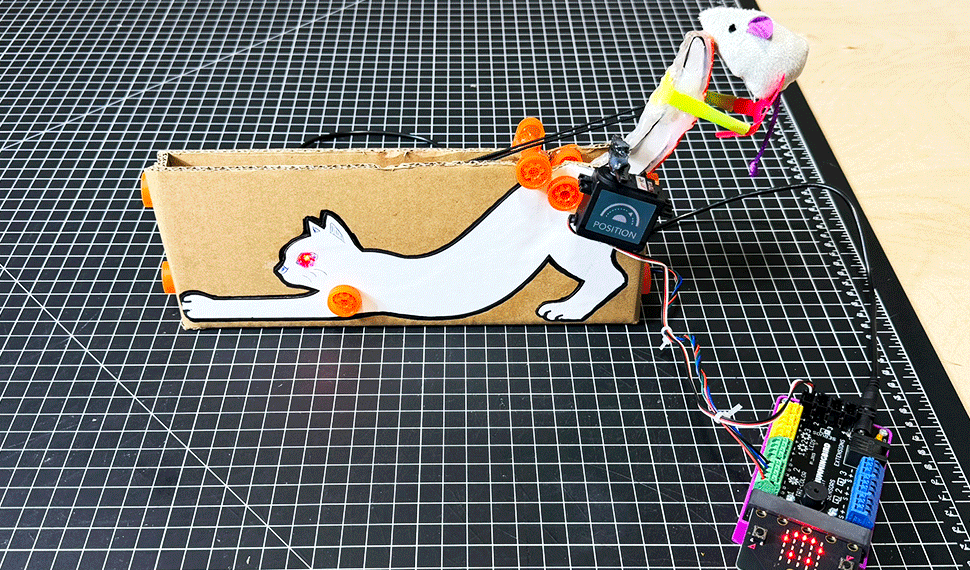





What happens when you combine cardboard engineering, coding, and robotics? You get the Cat-a-pult! This fun, hands-on STEM project brings science to life as students explore how energy, forces, and simple machines work together to create motion. From designing and building to programming and testing, students apply the engineering design process while developing critical thinking and problem-solving skills through experimentation.
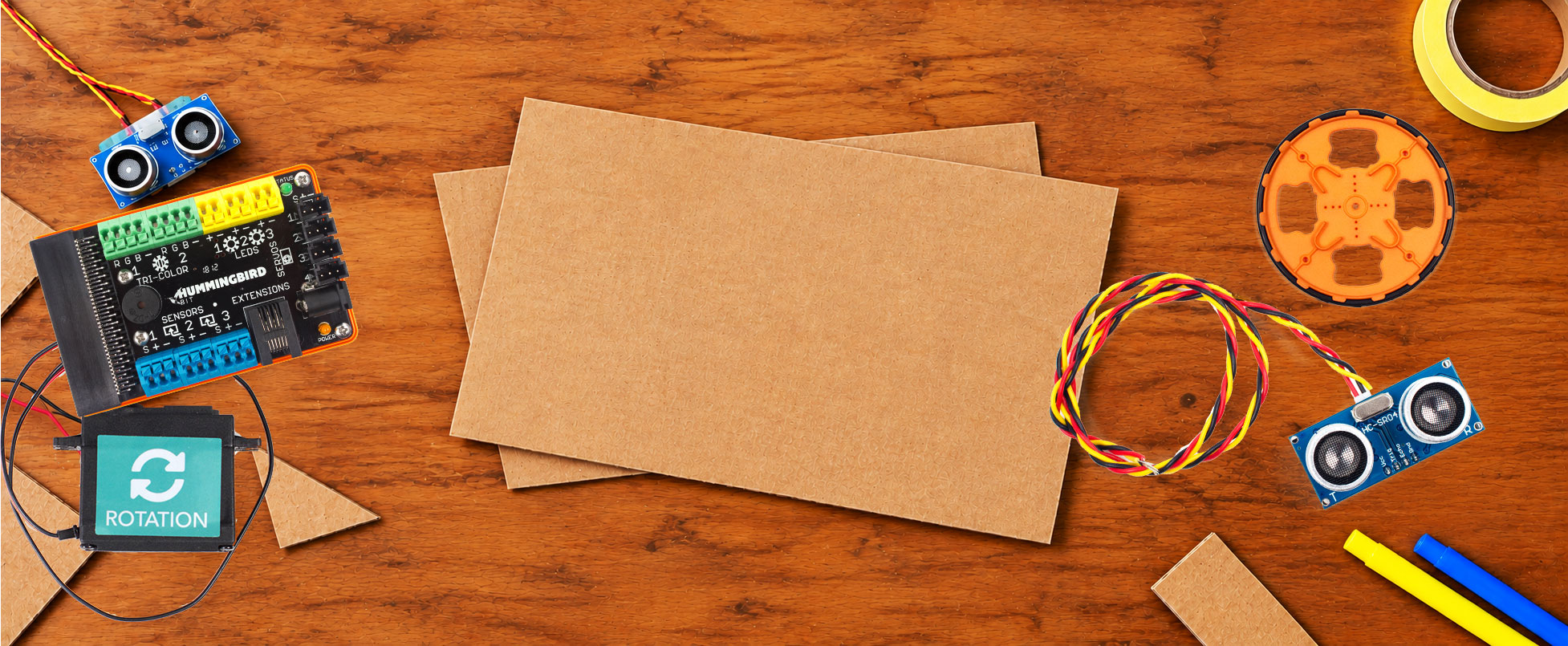
In this step-by-step tutorial, we’ll use the Swift Saw to cut and shape cardboard, Swift connectors to assemble the structure, and the Hummingbird Robotics Kit to add programmable movement and light. Together, these tools transform everyday cardboard into a working catapult that launches a tiny stuffed mouse! Let’s get started!
Step 1 – Prepare the Cat Template
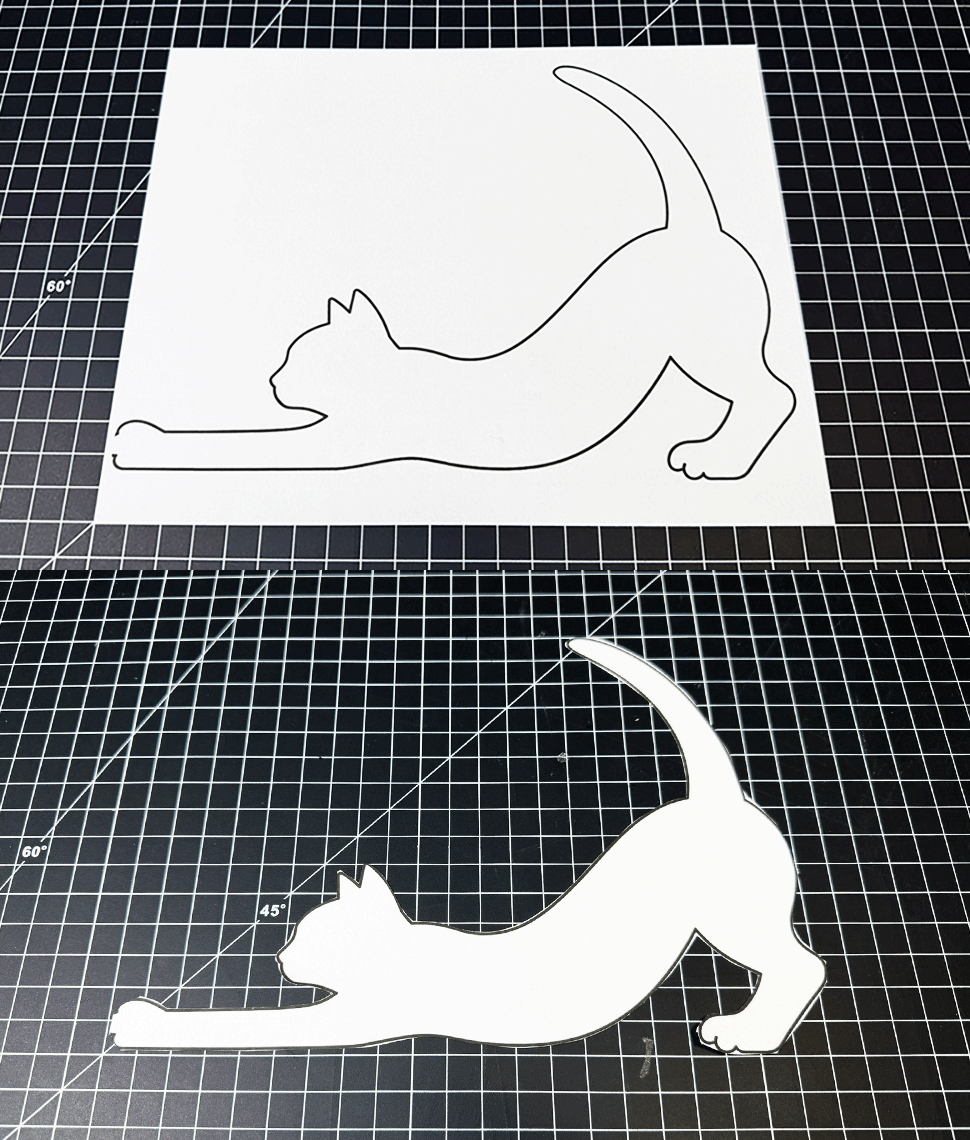
Download and print the Cat-a-pult template on regular paper or cardstock. Carefully cut along the black outline.
(PDF) Printable Cat-a-pult template
Step 2 – Prepare the Cardboard Base
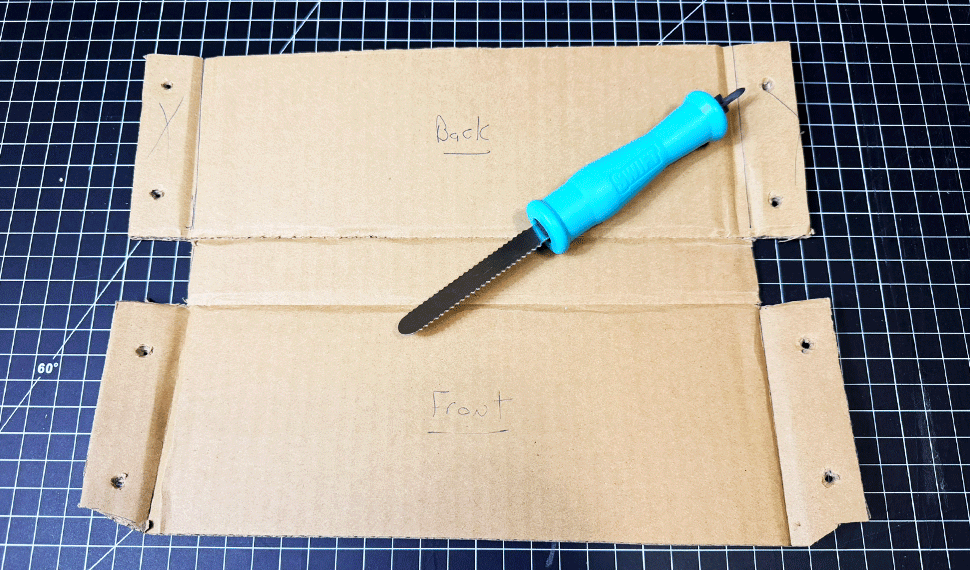
Place the cat template on your cardboard with the tail extending beyond the top edge. Align a ruler or straightedge with the bottom of the cat and score a line along each side of the ruler, extending across the full width of the cardboard. These two lines will form the bottom of your Cat-a-pult box.
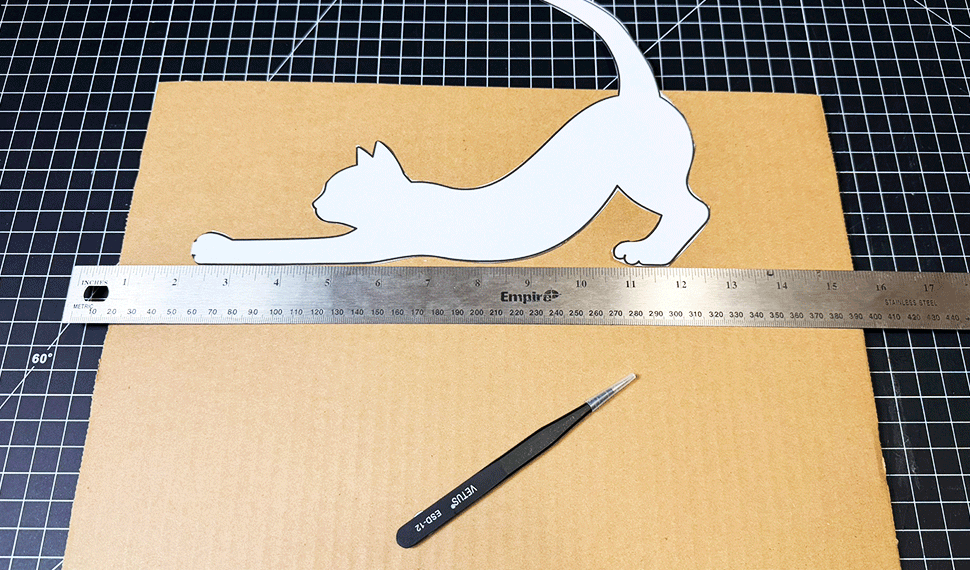
Next, score a line approximately 1 inch from each side of the cardboard to create folding flaps. Cut away the middle sections on both ends, as shown in the photo. Using the Swift punch tool, make two holes in each flap for the Swift connectors.
Step 3 – Assemble the Cardboard Base
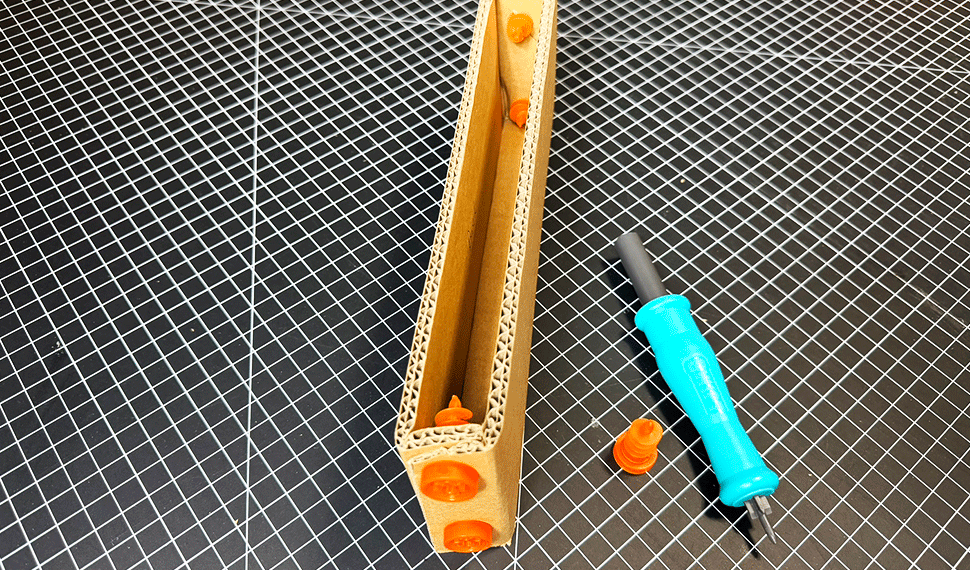
Fold the cardboard along the scored lines to form the base of your Cat-a-pult. Fold the end flaps inward and use the Swift connectors to secure the sides together. Repeat on both ends to create a sturdy, open-top box.
Step 4 – Attach the Cat Template
Using a glue stick or spray adhesive, attach the cat template to one side of the cardboard base, aligning it with the bottom edge as shown. Once attached, carefully cut off the tail along the top edge of the cardboard.
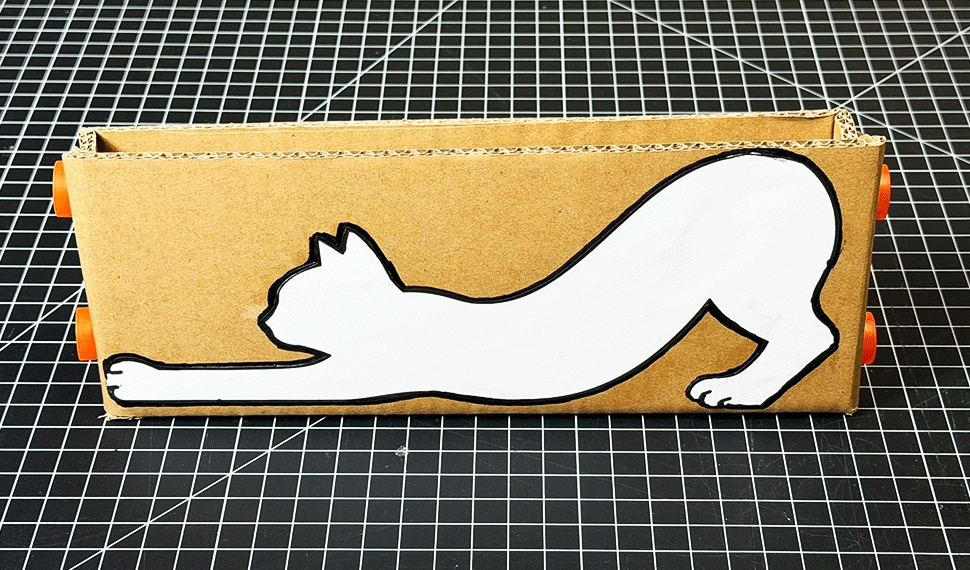
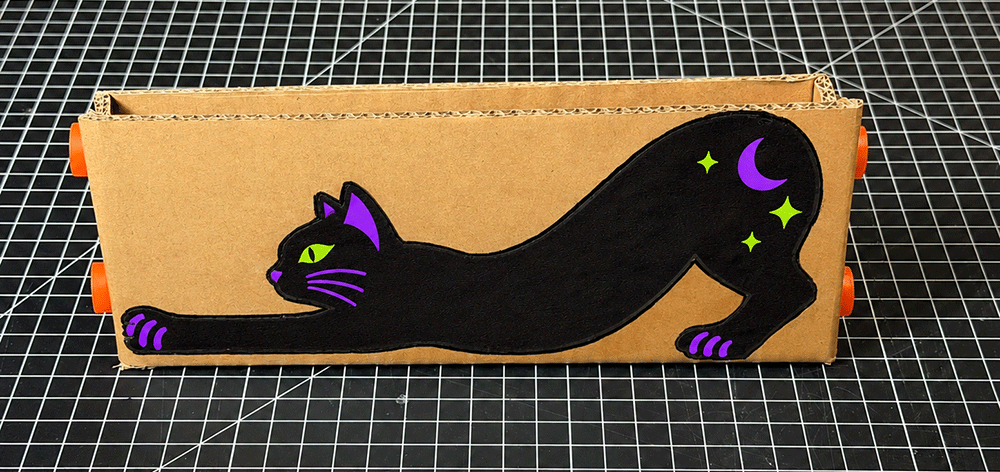
Now it’s time to get creative! Decorate your Cat-a-pult with paint, markers, or other craft materials. For inspiration, check out the Halloween-themed example below!
Step 5 – Create the Catapult Tail
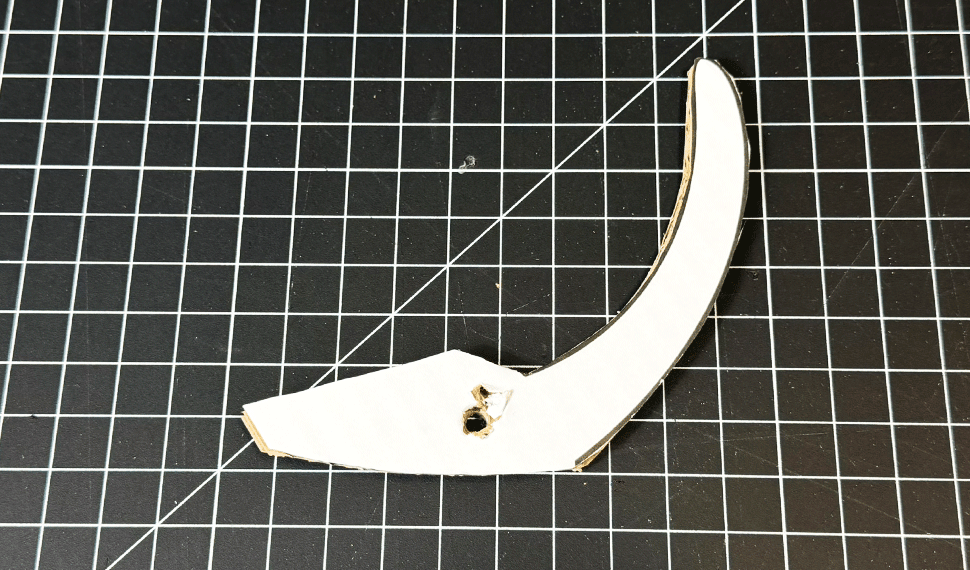
Take the tail you removed in Step 4 and glue it onto a piece of cardboard. Using the Swift Saw, cut around the tail outline, leaving a small extension at the base for mounting. Punch a hole in the extension as shown, which will be used to attach the tail to the Cat-a-pult.
Step 6 – Attach the Tail and Rubber Band
Position the tail from Step 5 where the cat’s tail would naturally attach. Punch a hole through the cardboard base, align it with the hole in the tail, and secure both pieces with a Swift connector. Make sure the tail can pivot freely.
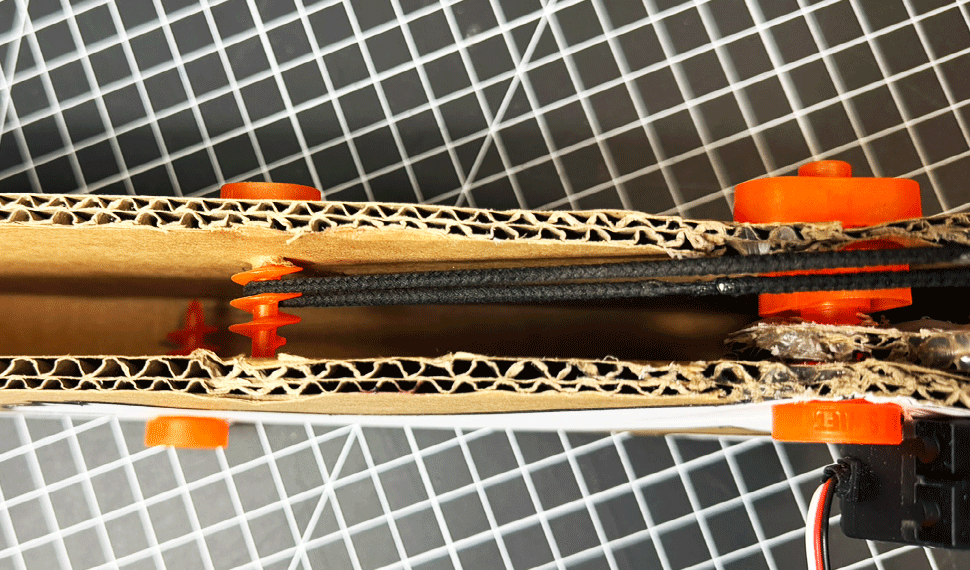
Next, attach one end of a rubber band or hair tie to the middle of the tail. Pull the tail back to its launching position and stretch the elastic until it’s under firm tension. Mark that location on the cardboard, punch a hole, and insert another Swift connector to secure the other end of the elastic.
Step 7 – Install the Stop Bar
Insert a Swift connector through each side of the cardboard right in front of the tail. It should span the opening on top and act as a stop bar, as shown. When the tail is released, it will strike the stop bar and stop suddenly, launching the mouse forward. Test the tail’s movement and adjust the stop bar’s position if needed.
Step 8 – Add the LED Cat Eye
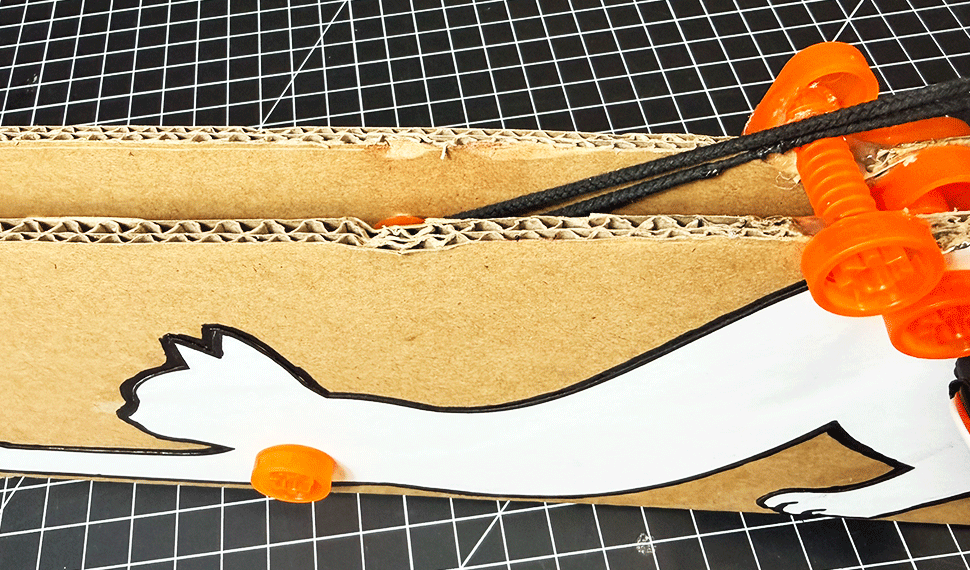
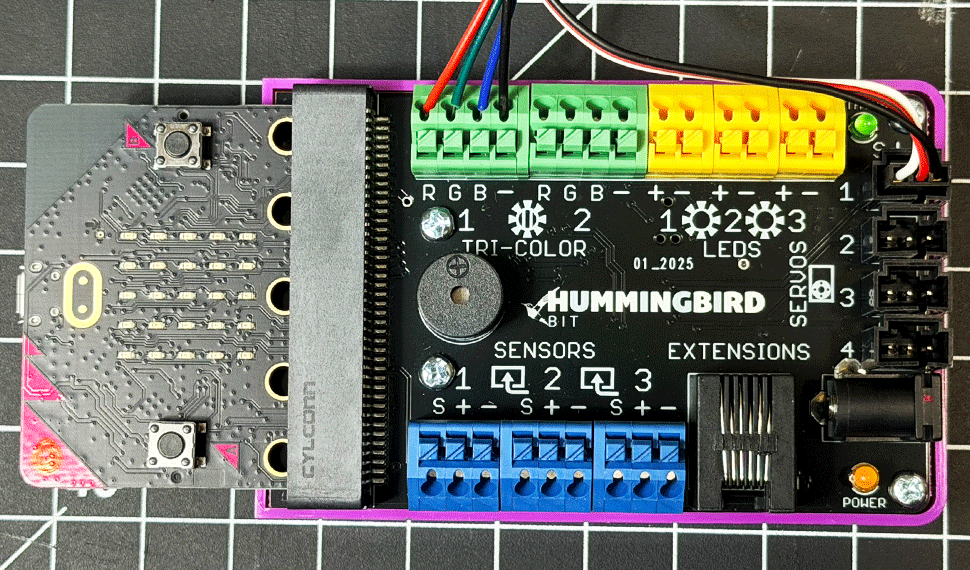
Connect the Hummingbird RGB LED to RGB Port 1, making sure the black wire connects to the negative (–) terminal. Using the Swift punch tool, make a hole where the cat’s eye will be, going through both layers of cardboard. Push the LED through the hole from inside the box so the light is visible on the outside.
Step 9 – Install the Servo
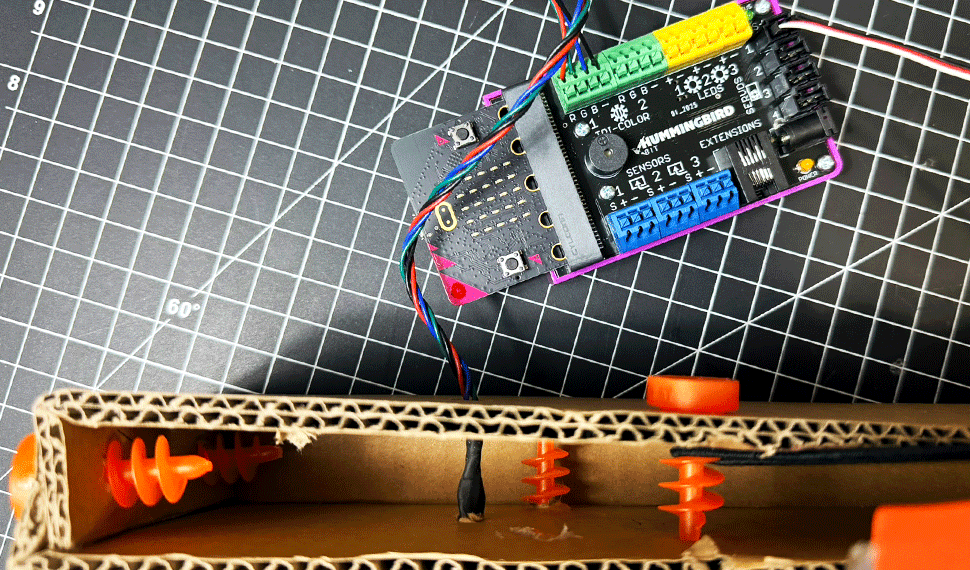
Pull the tail back until the rubber band is fully stretched. Position the servo motor so the straight servo horn, set at a 90-degree angle, holds the tail in place until it’s released. Secure the servo using hot glue or the Hummingbird Swift Add-On.
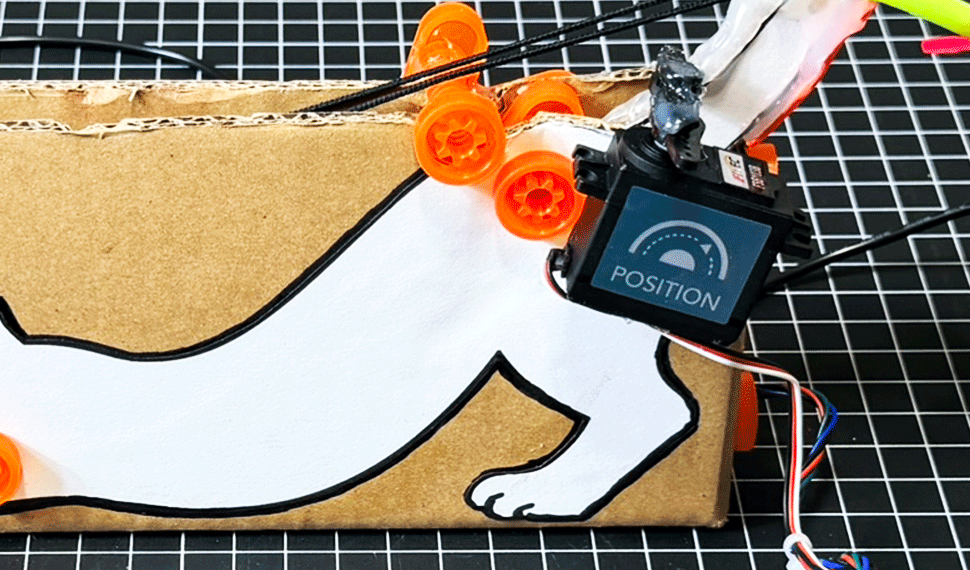
Connect the servo to Servo Port 1 on the Hummingbird controller, making sure the white wire aligns with S (signal) and the black wire with – (negative), as shown below.
Step 10 – Build the Launch Basket
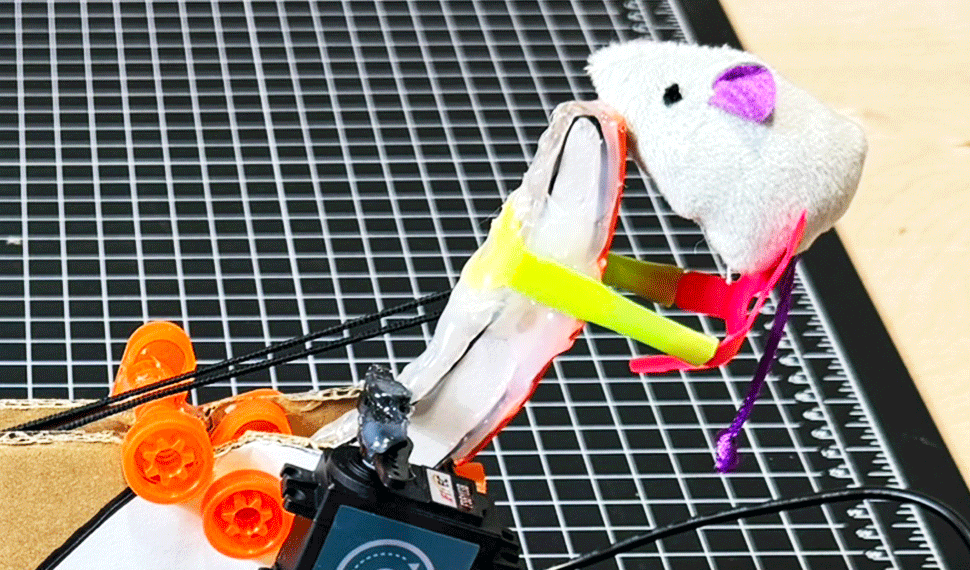
Using Strawbees, create a small basket to hold the stuffed mouse or another lightweight object. Attach the basket securely to the tip of the cat’s tail, as shown. Make sure the mouse sits loosely in the basket so it can launch freely when the tail is released.
Step 11 – Program the Cat-a-pult
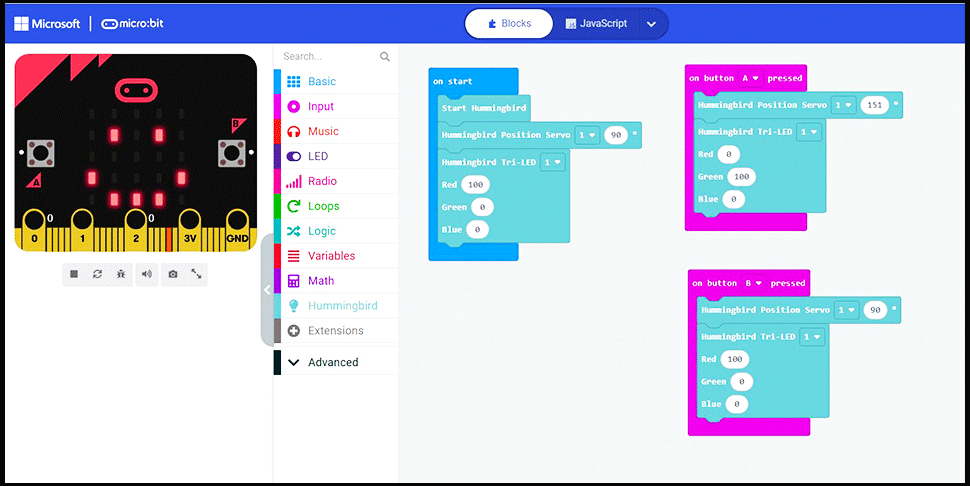
Using Microsoft MakeCode, create the block program shown below to control the Cat-a-pult’s servo motor and RGB LED. Press Button A on the micro:bit to move the servo into position and hold the tail back, turning the LED red. Press Button B to release the tail and launch the mouse, turning the LED green!
You can also download the ready-to-use program below. Simply extract the ZIP file and import the included HEX file into Microsoft MakeCode.
Download the Cat-a-pult MakeCode Program (ZIP)
Step 12 – Test & Improve Your Cat-a-pult
Your Cat-a-pult is ready for action! Test it out by launching your stuffed mouse and observing how it works. Experiment with the rubber band tension, tail position, and stop bar placement to see how these adjustments affect the launch distance. Keep testing and refining your design to get the best results!