




Artificial intelligence isn’t just powering the world around us — it’s sparking curiosity in classrooms everywhere. But helping students see how AI works can be tricky without the right tools. That’s why we’re excited to share a free, classroom‑ready download packed with two engaging, buildable AI robotics projects your students will love.
The AI Facebot and AI Drawbridge Activity Guide walks learners through building simple robots with Strawbees and micro:bit, training image-recognition models with Google’s Teachable Machine, and then watching their creations respond in real time based on what they “see”.
Whether you’re teaching STEM, robotics, or introductory AI concepts, these projects make machine learning tangible, creative, and accessible.

The Free 70‑page Activity Guide Includes:
The AI Facebot Project
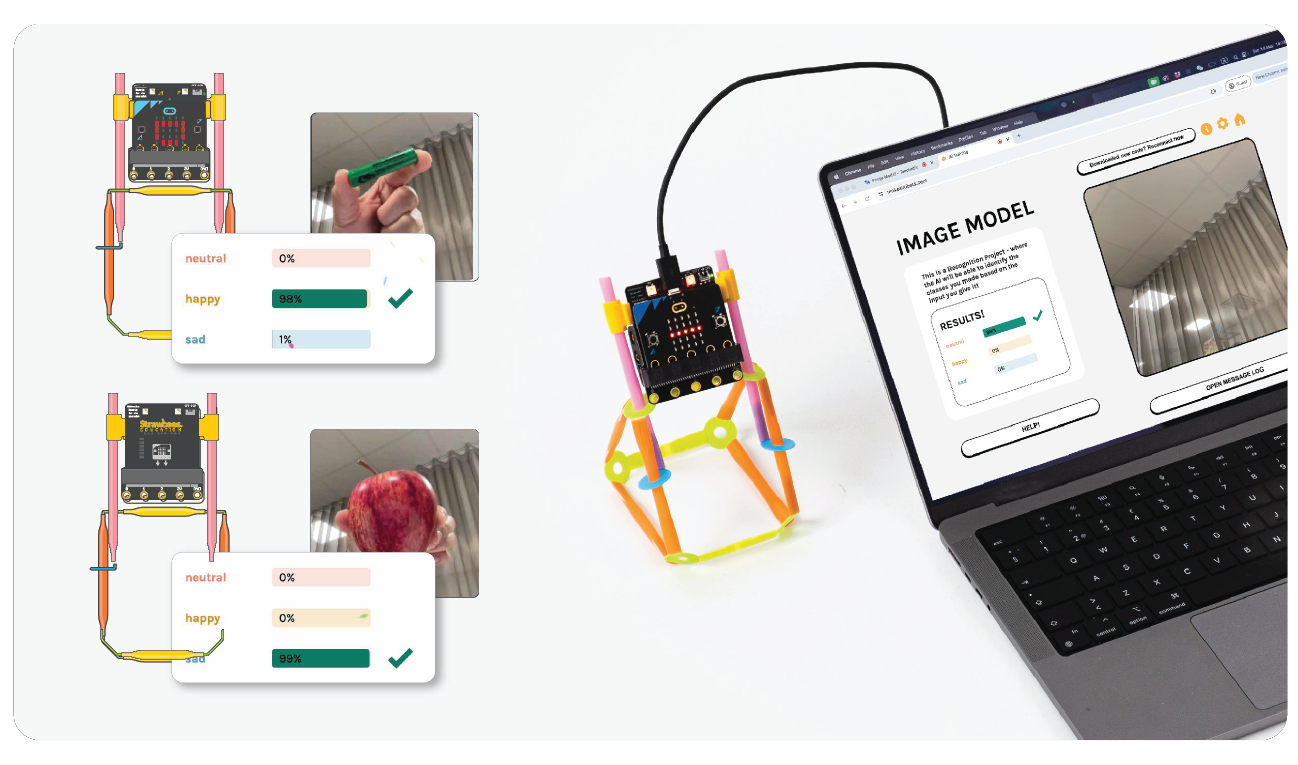
Students build a whimsical robot that reacts with emotions — happy, sad, or neutral — depending on what object it sees.
The guide includes:
- Step-by-step instructions for training a Teachable Machine model with custom image classes (like “happy,” “sad,” and “neutral”)
- Strawbees building instructions for constructing the Facebot body
- MakeCode setup and links for programming the micro:bit
- Integration with makeairobots.com to connect the AI model to the robot’s behavior
- Extension challenges that encourage creativity, facial expression design, and sound additions
This activity requires no prior coding or AI experience.
The AI Drawbridge Project
A more advanced build where students:
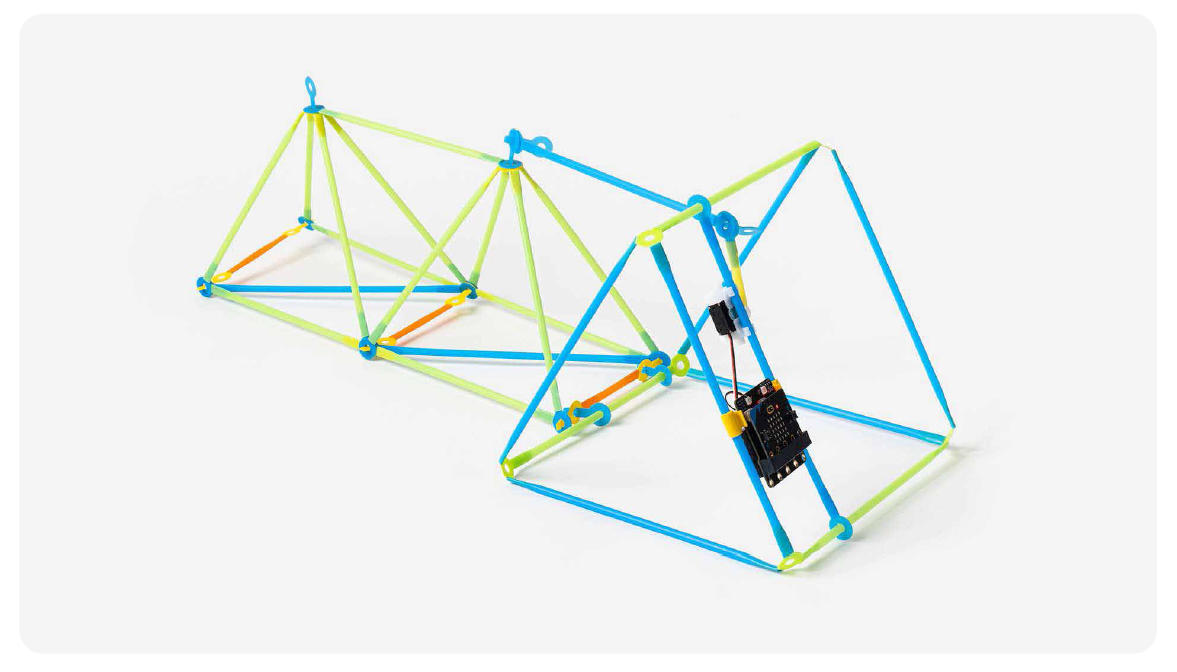
- Construct a full Strawbees drawbridge with mechanical linkages, supports, and a servo-driven lifting platform
- Train an AI model to detect when a boat is approaching the bridge vs. when no boat is present
- Program the micro:bit so the bridge reacts automatically — turning red/green lights on and opening/closing based on the AI’s detection results
This project blends mechanical engineering, coding, and AI concepts in a hands-on, high-engagement format.
What Tools Do You Need?
These projects use tools that are very student-friendly:
✔ Strawbees Building Kit – Used for constructing both the Facebot and Drawbridge structures.
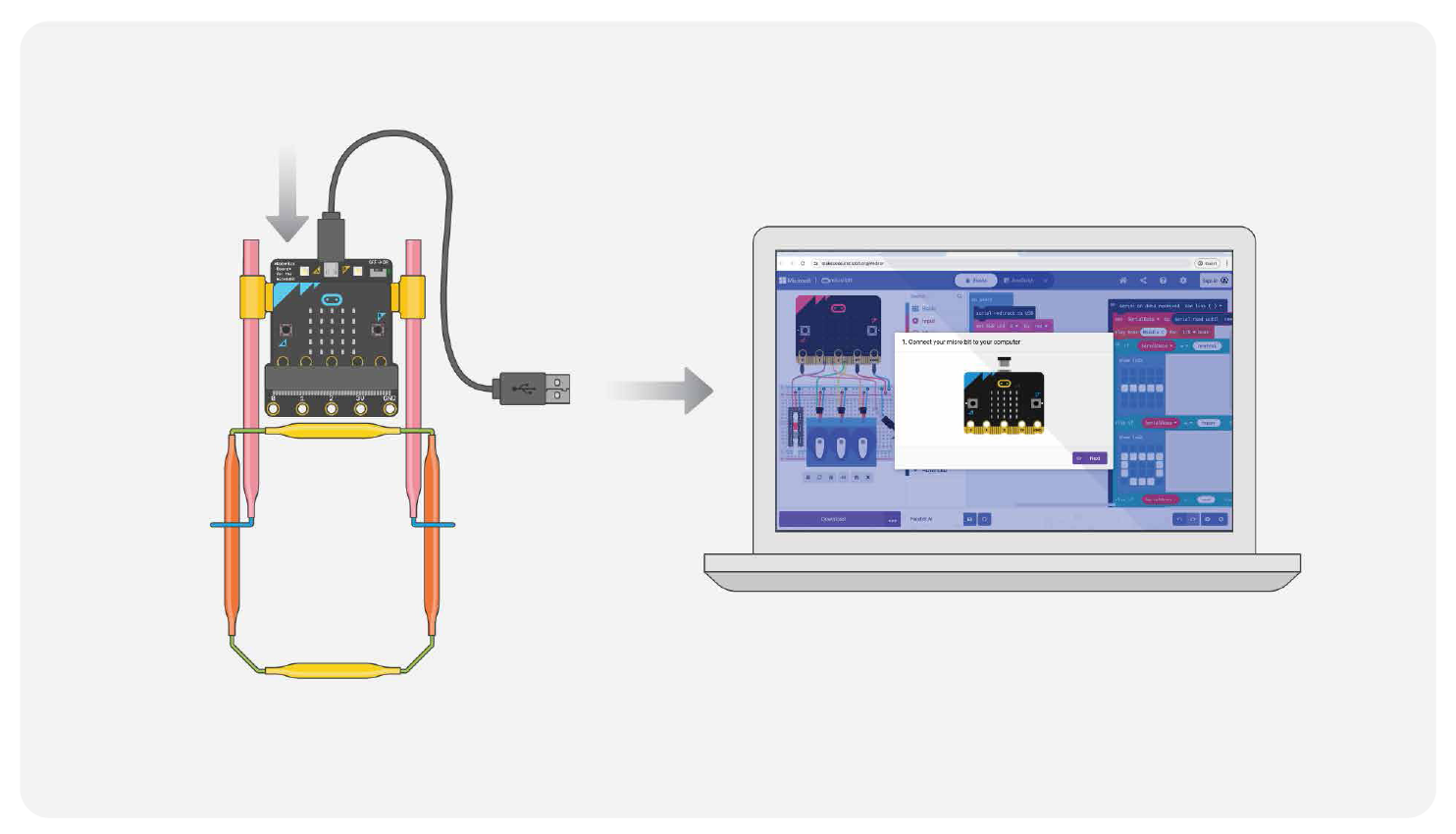
✔ BBC micro:bit + Strawbees Robotics Board – Provides the programmable brain and servo/motor control. Both projects include detailed instructions for pairing, downloading code, and testing with MakeCode.
✔ Google Teachable Machine – A free, browser-based tool for training image-recognition models using your webcam. Students will create custom datasets, train a model, and export a shareable link.
✔ makeairobots.com – A simple platform that lets you plug your Teachable Machine model into your micro:bit-powered robot for real-time AI behavior.
✔ A Laptop With Webcam – Needed for collecting image samples and training models.
Everything else is included in the download — instructions, links, diagrams, and build photos.
Why Educators Love These Projects
These activities bring AI to life in ways students instantly understand:
- Hands-on engagement: Students build the robot, train the AI, and watch the results.
- Real-world AI exposure: They learn how machine learning models are created and how accuracy depends on data quality.
- Cross-curricular learning: Robotics + AI + engineering + coding + problem-solving.
- Flexible and scalable: Works for 45‑minute lessons or multi-day deep dives.
- Aligned with STEM/CTE goals: Encourages iterative design, computational thinking, and applied engineering.
This guide is perfect for makerspaces, STEM labs, afterschool programs, CTE classrooms, and any educator looking to introduce AI concepts in a meaningful, student-centered way.